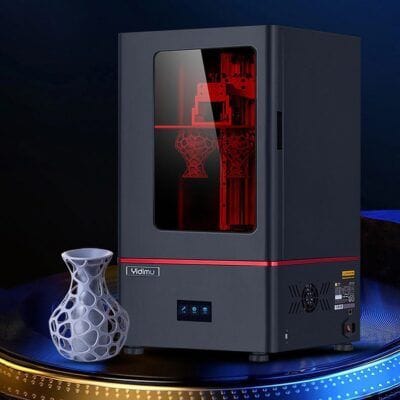
3D Printers for Sale | Professional & Industrial 3D Printing

2Products found
Filter

Find 3D printers for sale for prototyping, engineering, product development, education, workshops and professional manufacturing. Compare new and used 3D printing machines by printing technology, build volume, material compatibility, accuracy, speed, condition and price.

The right professional 3D printer depends on the parts you need to produce, their dimensions, required accuracy, material, production volume and intended application. Comparing these factors before buying helps avoid selecting a machine that is too small, too slow or incompatible with the required materials.

3D printers

3D printers manufacture physical parts from digital models by adding material layer by layer.

Depending on the technology, they can be used for:

Prototypes.
Product development.
Functional parts.
Fixtures and tooling.
Models and mock-ups.
Education and training.
Small production runs.
Research and development.

3D printers for sale

When comparing 3D printers for sale, consider both the machine specifications and the complete production process.

Important factors include:

Printing technology.
Build volume.
Supported materials.
Layer resolution.
Printing speed.
Heated bed.
Enclosed build chamber.
Software compatibility.
Maintenance requirements.

Professional 3D printers

Professional 3D printers are designed for users who require greater repeatability, reliability and material capability than basic entry-level machines.

They may be suitable for:

Engineering departments.
Design studios.
Technical workshops.
Manufacturing companies.
Universities.
Research centres.

Industrial 3D printers

Industrial 3D printers are intended for demanding applications where production consistency, material performance and machine reliability are especially important.

Before purchasing, compare:

Maximum part dimensions.
Production speed.
Material range.
Chamber temperature.
Automation.
Monitoring systems.
Maintenance requirements.

FDM 3D printers

FDM or FFF printers create parts by depositing thermoplastic material through a heated nozzle.

They are widely used for prototypes, functional components and general professional applications.

Compare:

Build volume.
Nozzle diameter.
Extruder configuration.
Bed temperature.
Chamber enclosure.
Supported filament types.

Resin 3D printers

Resin printers use photopolymer materials that are selectively cured to create each layer.

They can be suitable for applications requiring fine detail and smooth surfaces.

Important specifications include:

Build area.
Layer height.
Resolution.
Compatible resins.
Post-processing requirements.

SLA 3D printers

SLA systems use a light source to cure liquid resin during the printing process.

Before buying, consider the complete workflow including washing, curing and material handling.

SLS 3D printers

SLS machines produce parts from powdered material using selective energy application.

These systems are generally intended for more specialised professional and industrial applications.

Compare:

Build chamber dimensions.
Compatible powders.
Production cycle.
Material handling.
Post-processing.

Large format 3D printers

Large-format 3D printers allow the production of bigger components without dividing them into multiple sections.

Before selecting one, verify:

Maximum X, Y and Z dimensions.
Machine footprint.
Power requirements.
Material consumption.
Printing time for large parts.

Build volume

The build volume determines the maximum dimensions of a part that can be produced in a single print.

Before buying, define the largest parts you expect to manufacture and allow some additional working margin.

Print resolution

Resolution influences the level of detail and surface finish achievable by the machine.

It should be evaluated together with:

Nozzle size.
Layer height.
Mechanical accuracy.
Material.
Printing technology.

Printing speed

Higher printing speed can increase productivity, but the real production rate also depends on part geometry, layer height, material and required quality.

For production environments, consider complete cycle time rather than maximum quoted speed alone.

3D printing materials

Different printers support different materials.

Depending on the technology, compatible materials can include:

PLA.
ABS.
PETG.
Nylon.
Flexible materials.
Engineering thermoplastics.
Photopolymer resins.
Specialised industrial materials.

PLA 3D printing

PLA is widely used for prototypes, models and general-purpose printing because of its relatively straightforward processing characteristics.

Check that the printer, nozzle and temperature range are appropriate for the material being used.

ABS 3D printing

ABS may require greater temperature control and can benefit from an enclosed build area.

Before buying a printer for ABS, check:

Bed temperature.
Chamber enclosure.
Ventilation requirements.
Nozzle temperature.

Nylon and engineering materials

Engineering filaments can require higher temperatures and more controlled printing conditions.

For these materials, compare:

Maximum nozzle temperature.
Bed temperature.
Chamber temperature.
Extruder compatibility.
Filament drying requirements.

Enclosed 3D printers

An enclosed printer can provide more stable thermal conditions and protect the build area from external airflow.

This can be particularly useful for certain engineering materials.

Heated print bed

A heated bed can improve adhesion and support printing with materials that require controlled base temperatures.

Check:

Maximum temperature.
Bed size.
Surface type.
Heating uniformity.

Extruders

The extruder feeds material into the hot end on filament-based 3D printers.

Depending on the machine, there may be:

Single extruder systems.
Dual extruder systems.
Direct-drive extruders.
Remote-feed systems.

Dual extrusion

Dual-extruder printers can use two compatible materials or colours within the same print, depending on machine design and software support.

Before buying, check nozzle alignment, calibration and compatibility with the required workflow.

Automatic bed levelling

Automatic levelling systems can simplify machine setup and improve consistency between prints.

On a used printer, verify that sensors and calibration routines operate correctly.

3D printer software

3D printing requires software to convert a digital model into machine instructions.

Before purchasing, check compatibility with:

Supported file formats.
Slicing software.
Operating systems.
Network connectivity.
Firmware updates.

Connectivity

Professional printers may offer different connection options.

These can include:

USB.
Ethernet.
Wi-Fi.
Memory card.
Cloud-based systems.

3D printers for prototyping

Rapid prototyping allows designers and engineers to produce physical models before committing to conventional manufacturing methods.

For prototyping, prioritise:

Ease of use.
Print speed.
Material flexibility.
Dimensional accuracy.
Low setup time.

3D printers for engineering

Engineering applications may require functional materials, dimensional consistency and controlled printing conditions.

Before purchasing, evaluate the exact mechanical and thermal properties required from the final component.

3D printers for manufacturing

3D printers can also be used to produce jigs, fixtures, tooling and certain end-use components.

For production use, compare:

Repeatability.
Machine uptime.
Material cost.
Cycle time.
Maintenance.
Quality control.

3D printers for education

Educational institutions may use 3D printers for design, engineering, prototyping and technical training.

Ease of operation, machine enclosure and simple maintenance can be particularly important in shared learning environments.

New 3D printers

A new 3D printer has no previous wear on motors, belts, linear guides, heaters, sensors or printing components.

Warranty and support conditions depend on the manufacturer and seller.

Used 3D printers

Buying a used 3D printer can reduce initial investment and provide access to professional equipment at a lower purchase cost.

Before buying, inspect the complete machine carefully.

What to check when buying a used 3D printer

Inspect:

Frame.
Linear guides.
Belts.
Motors.
Extruder.
Hot end.
Print bed.
Sensors.
Fans.
Control electronics.

Linear guides and motion system

The movement system should operate smoothly without excessive play or unusual noise.

Check:

Rails.
Bearings.
Lead screws.
Belts.
Pulleys.
Motor mounts.

Hot end and nozzle

The nozzle and hot end are wear components on filament printers.

Inspect:

Nozzle condition.
Heater cartridge.
Temperature sensor.
Heat block.
Cooling system.

Print bed condition

The print surface should be flat, clean and free from significant damage.

On a used machine, verify bed heating and levelling across the full surface.

Motors and belts

Belts should have appropriate tension and stepper motors should move smoothly without missed steps, unusual vibration or overheating.

Test print

Whenever possible, perform a test print before buying a used 3D printer.

Check:

First-layer quality.
Dimensional accuracy.
Layer consistency.
Surface finish.
Extrusion stability.
Movement noise.

Maintenance

Routine 3D printer maintenance can include:

Cleaning.
Lubricating guides.
Checking belt tension.
Cleaning or replacing nozzles.
Inspecting fans.
Checking connectors.
Updating firmware.

Spare parts

Before buying an older 3D printer, check whether key replacement parts remain available.

These can include:

Nozzles.
Hot ends.
Belts.
Motors.
Sensors.
Fans.
Build surfaces.
Control boards.

3D printer prices

The price of a 3D printer depends on several factors:

Printing technology.
Build volume.
Material compatibility.
Accuracy.
Automation.
Manufacturer.
Model.
Age.
Condition.

How to choose a 3D printer

Before buying, define:

Maximum part size.
Required material.
Accuracy.
Surface finish.
Production volume.
Printing speed.
Available workspace.
Budget.

Buy 3D printers on Makitor

On Makitor you can compare professional and industrial 3D printers for sale according to the specifications available in each listing.

Compare printing technology, build volume, material compatibility, accuracy, speed, equipment, condition, location and price before choosing a machine.

Frequently asked questions

Which 3D printer should I buy?

The best option depends on part size, material, required accuracy, production volume and available budget.

What is the difference between FDM and resin 3D printers?

FDM printers generally deposit thermoplastic filament, while resin printers create parts by curing liquid photopolymer material.

What should I check when buying a used 3D printer?

Check the frame, motion system, belts, motors, hot end, print bed, sensors, electronics and perform a test print when possible.

What affects the price of a 3D printer?

Technology, build volume, material capability, automation, manufacturer, age and condition are among the main factors.

Main Menu